
2026 seminar registration help
Change Your 2026 Seminar Date
Move a Fall Topical Update or Year-End seminar registration to another available session and confirm the updated date in your attendee account.
- 2
- ways to change a date
- 6-digit
- passwordless verification
- Live
- availability shown in account
Choose either route
Two easy ways to change your date
Use the Need Help widget from any page or open the attendee account directly. Both routes use the same protected registration record.
Fastest route
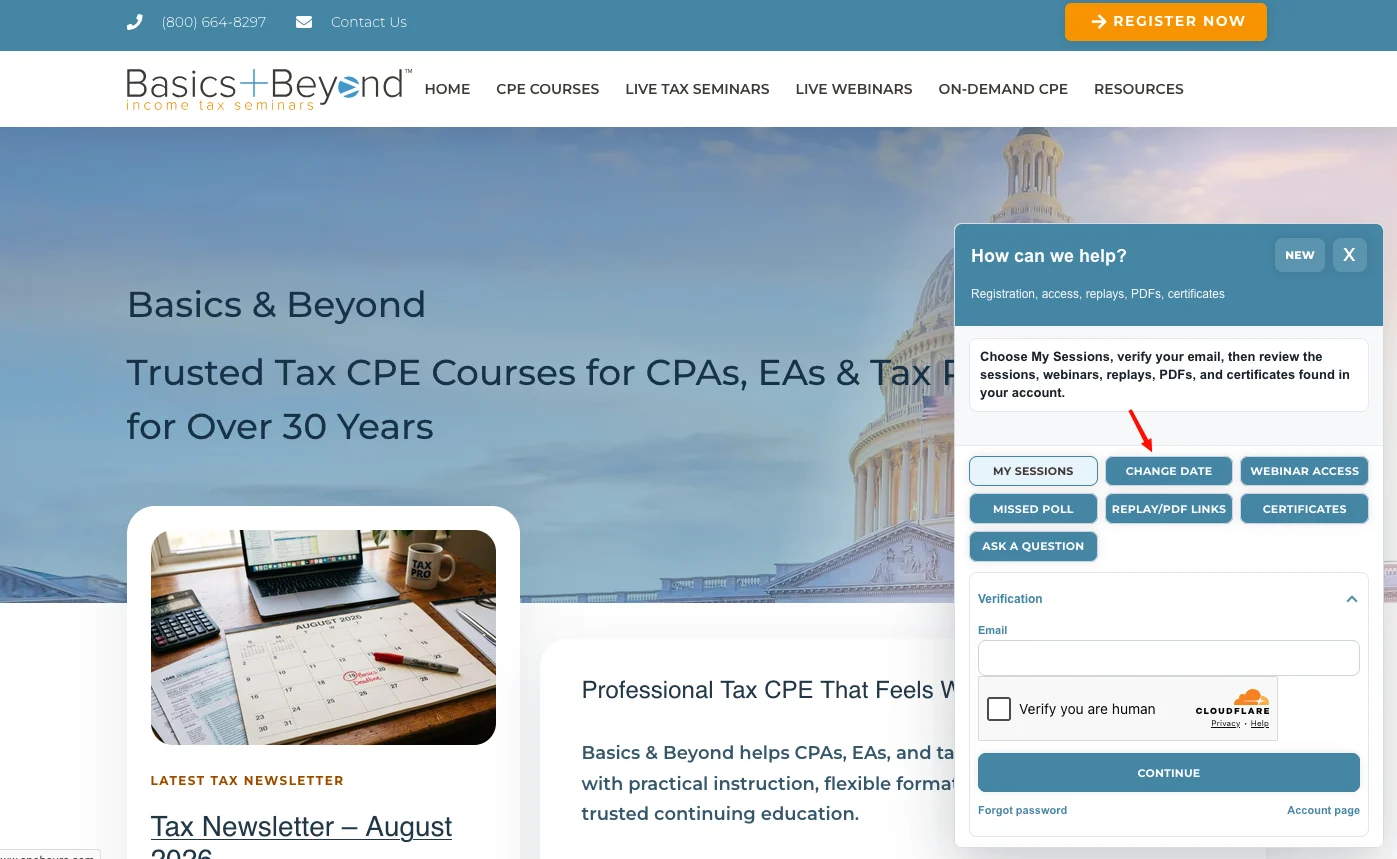
Use the “Need Help?” button
Open the Change Date topic without leaving the public website.
Open any page and select Need Help? in the lower-right corner.
Choose Change Date.
Enter the registration email, complete the Cloudflare human-verification check, and select Continue.
Enter the six-digit code sent by email.
Choose the paid seminar registration and an available replacement date, then submit the change.
Direct account route
Change the date in your attendee account
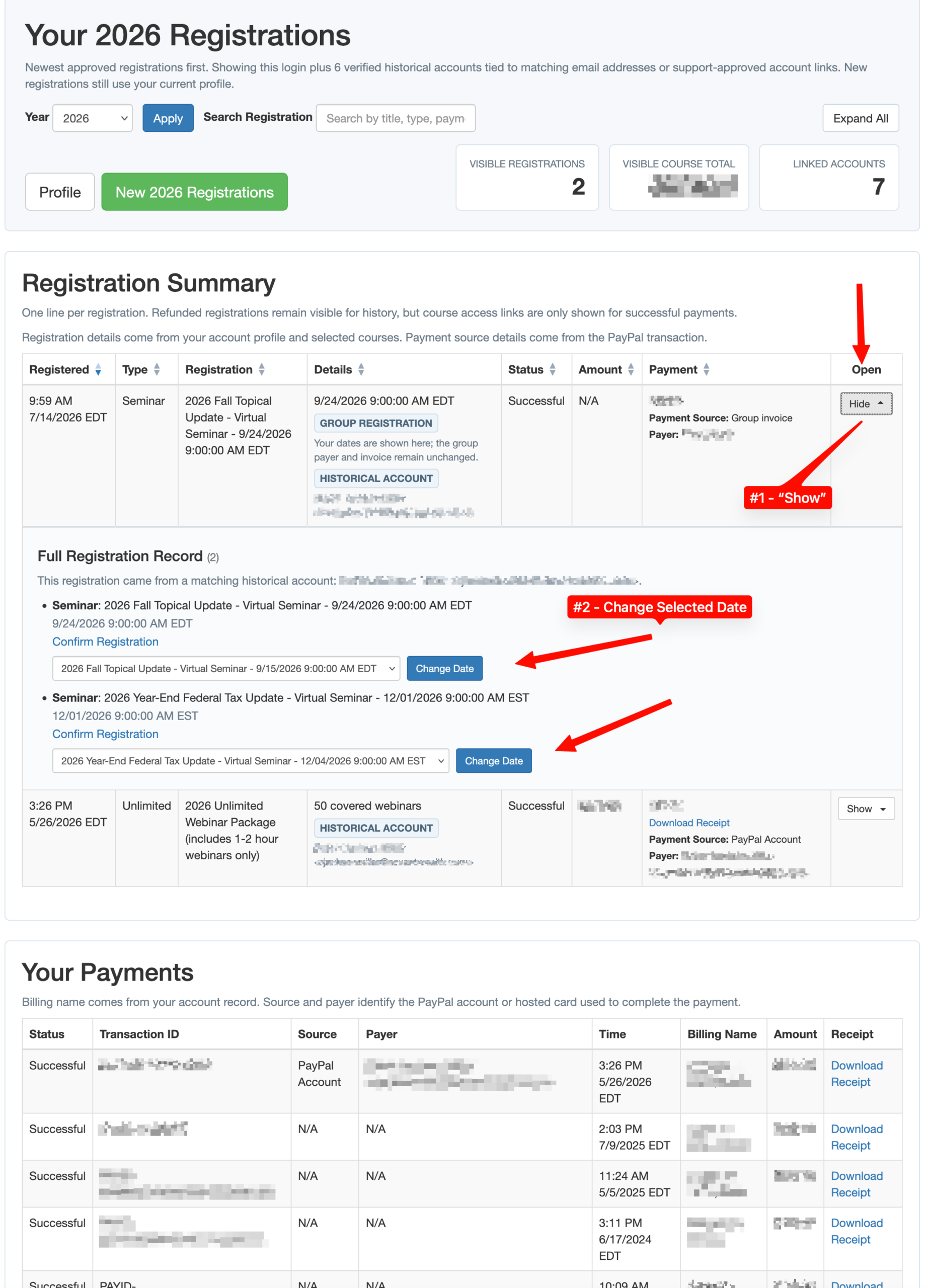
Verify the registration email and review the complete registration record.
Open the attendee account and enter the email used for the registration.
Complete Cloudflare Turnstile and enter the current six-digit verification code.
Find the seminar in the registration summary and open its full registration record.
Choose a new date from the available-date menu and select Change Date.
Confirm that the updated date appears before closing the account.
Still need help?
We can review the registration with you.
Email [email protected] or call (800) 664-8297.